Refocused 1.0.4: a redesigned Enhance workflow, chapters, previews, and bug fixes
In this article
Refocused 1.0.4 is out now for all platforms. This release overhauls the Enhance workflow to make it less convoluted and more intelligently set defaults to better align with your desired output resolution. In addition to the UI, we have also added previews, and fixed a number of bugs and issues.
The new Enhance workflow
Enhance is now two steps instead of three, and uses your input on the target output resolution to better select the model pipeline.
Step 1: Source and output size.
Load your video, then pick your target resolution:
- Fixed 4× (the models' native scale)
- A target from the resolution ladder (720p through 8K, or exact custom dimensions)
- Same-resolution cleanup for frame interpolation, denoising, or restoration.
The app now probes your hardware and warns you before attempting to upscale to unrealistic resolutions.
We have also updated the source preview and edit source functionality to better adjust your input before moving to the settings screen.
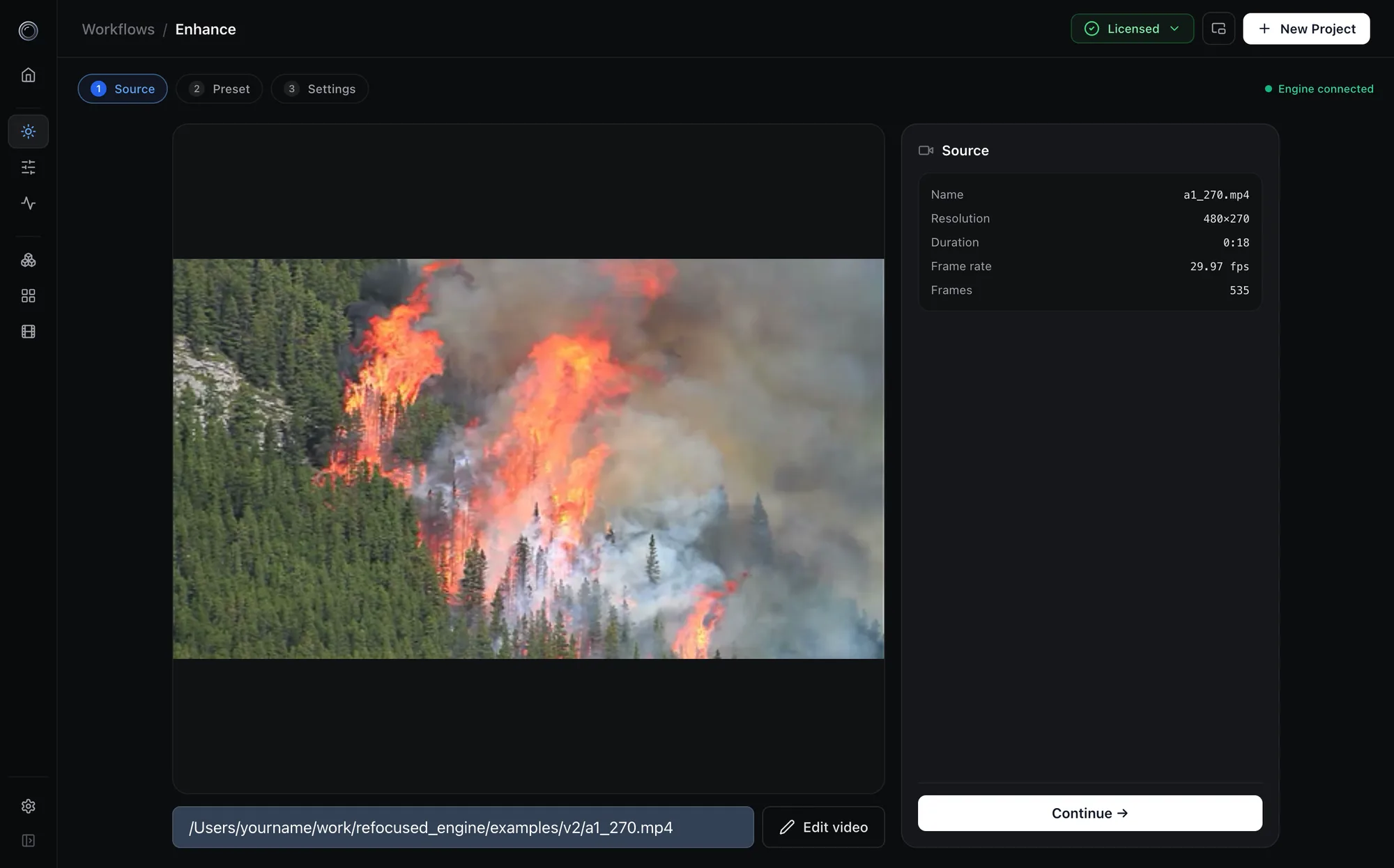
Step 2: Guided settings.
One page of cards with better grouping:
- Enhancement
- Frame interpolation
- Refocus pre-pass
- Grain & noise
- Blend
- Output
As you change settings, you will see the pipeline update. You may modify the pipeline settings stage directly by interacting with them, or via the settings buttons in the individual cards. The sidebar doubles as an editor: drag stages to reorder them, remove or add stages, and the cards follow.
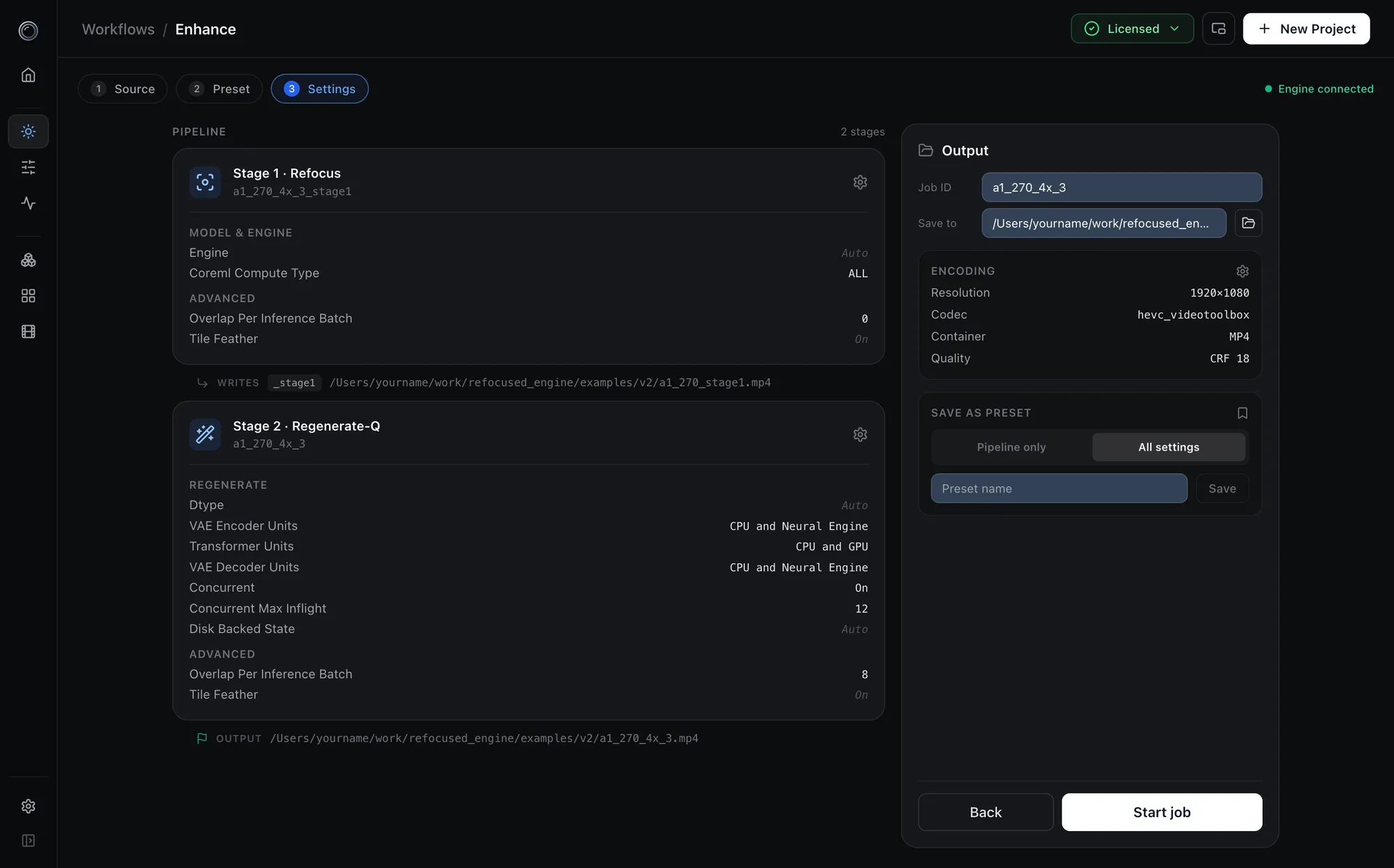
A few more additions in this release:
- Previews. Run the exact pipeline on a dozen frames and watch the result before starting an overnight job. A configuration problem now costs you seconds instead of hours.
- Chapters for long videos. Scene detection splits a long source into chapters. Each chapter runs as its own job, and the results are stitched back together with the original audio. If one chapter fails, you can resubmit just that chapter.
- Source blending. A new engine postprocessing pass can blend the original footage back into the enhanced output to keep faces and textures grounded, and restores film grain in the same pass. The Refine workspace's reprocess pipeline uses the same pass.
Bug fixes
General
- "Copy config to new" from the library now restores the entire configuration (scale choice, model selection, interpolation, denoise, grain, blend, clipping, and encoder) - previously, some of the settings were not copied correctly.
- Cloud-synced folders. The engine used to keep its working state next to your output video. If that folder lived in Dropbox or a similar sync service, the sync client could lock those files mid-job and fail the whole run. Working state now lives in the app's own scratch directory (configurable via
scratch_location), and your video folders only receive finished output. - Encoder guardrails. H.264 cannot encode video larger than 4096 pixels per side, but the app would let you pick it for an 8K output and either silently switch codecs or fail mid-job. The format list now steers you away from impossible combinations up front, and the engine rejects them at planning time with a clear message instead of after hours of processing.
- Library. The project library now verifies that a video exists and is decodable before offering to play it, and entries whose files have been deleted no longer clutter the list.
Windows
- Frame interpolation and denoise engines now load. A path-separator bug in the engine's model loader meant multi-part TensorRT engines (VFI, Denoise) could never load on Windows in any previous version. A detailed bug report pinpointed the failing path logic. This is fixed.
- The
rfccommand-line client works. The CLI previously assumed POSIX shell conventions, sorfc startandrfc addcould never connect on Windows. Headless and scripted workflows now work as documented. - Fixed a permissions error when working from secondary drives (for example
D:) - Fixed problems reading certain AVI files - previously we relied on ffmpeg's nb_frames parameter, which is not reliable for all formats.
What's Next?
We are currently starting work on v1.0.5, which will focus on a Refine workflow overhaul, as well as improving the sign-up and model building experience. We are also aware of some issues with the tiling in some of the refine models, like depth mapping, and investigating solutions.
Thank you
A special thank-you to R. Latimer and djm for their detailed reports and patient back-and-forth this cycle, as well as everyone who has submitted bug reports and feedback. Several of the fixes above exist because you took the time to write in. Thank you, and keep them coming!
To update, download the latest build from the install page, or use the in-app updater in Settings.