Refocused 1.0.6: Refine workflow overhaul, simpler setup, interlace support, and bug fixes
In this article
Refocused 1.0.6 is out now for all platforms. This is the feature release we promised in 1.0.5, and it is the largest update since launch: an overhauled Refine workflow, a simpler setup flow, interlace support in Enhance, engine failures that are reported instead of hidden, and a long list of bug fixes.
Refine workflow overhaul
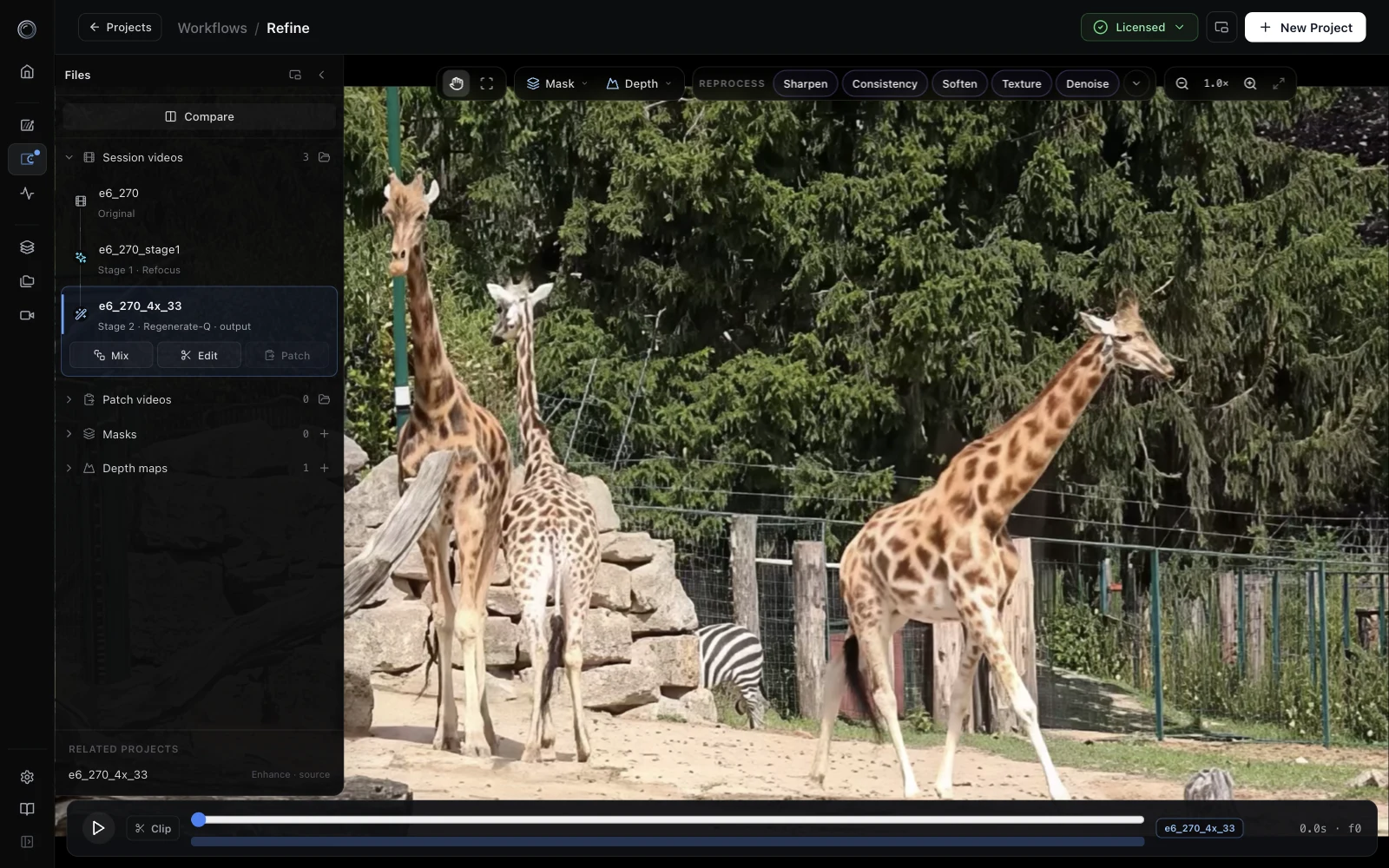
Refine has been rebuilt from the ground up. The video fills the workspace, the Files panel and tools float over it, and the workflow runs in one direction: pick the video, select what to fix, choose a fix, run it, blend the result back. The old A/B slots, the modal Reprocess dialog, and the separate tool rail are gone. The next eight sections walk through each part of the new workflow.
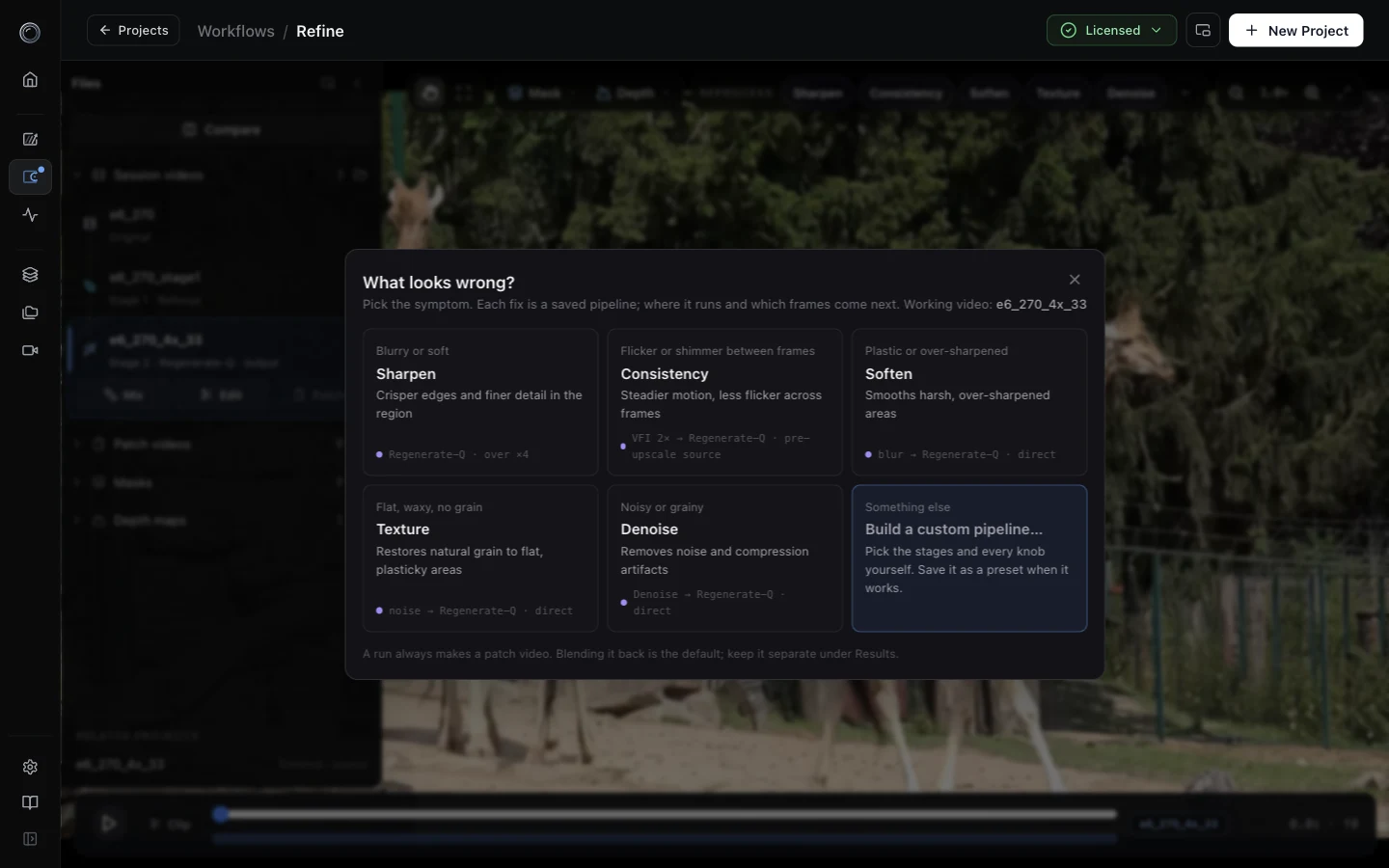
Reprocess presets and the symptom picker
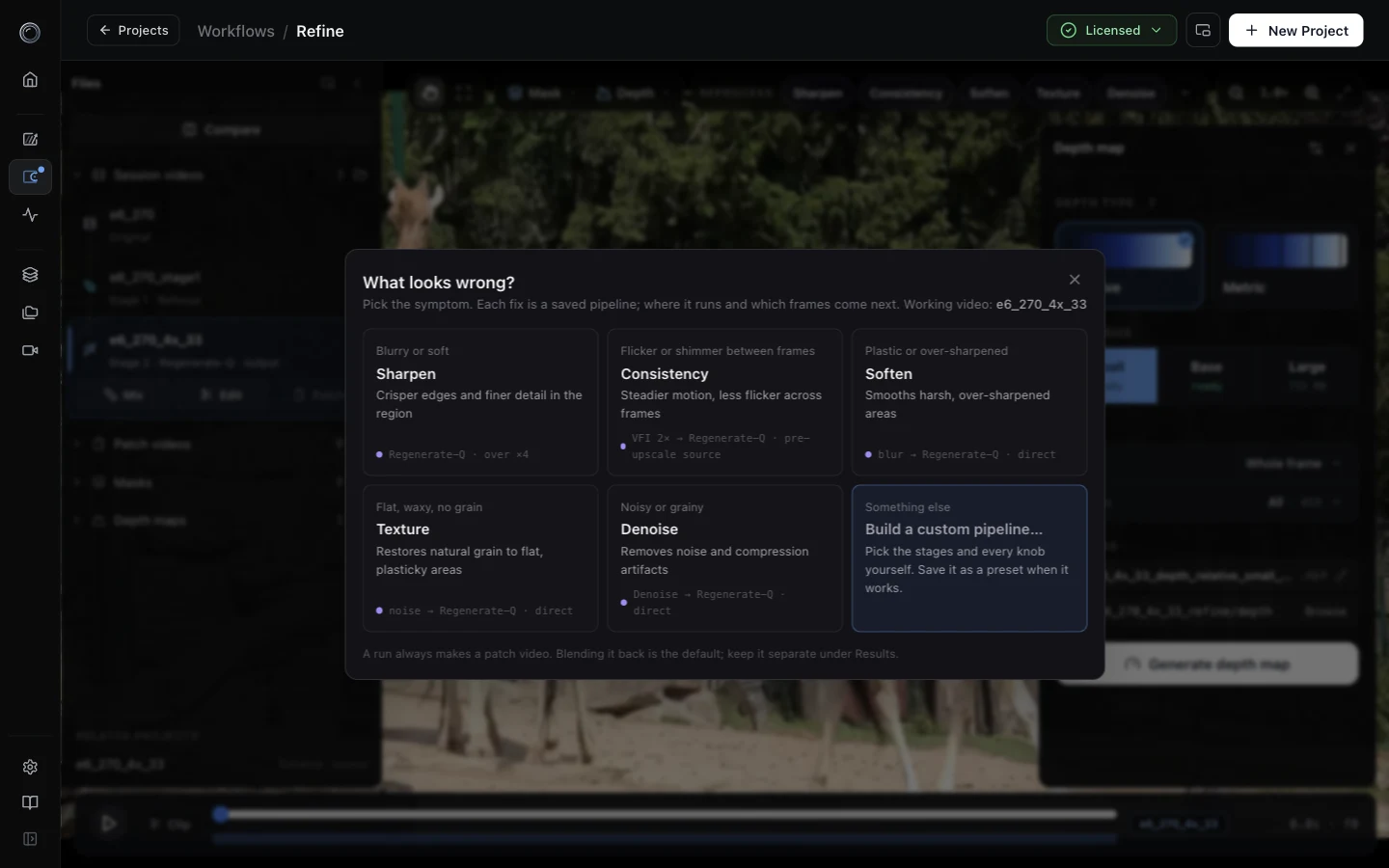
Above the video sits a row of Reprocess chips: Sharpen, Consistency, Soften, Texture, Denoise. Each one is a saved pipeline. If you are not sure which you need, open What looks wrong? and choose by symptom: blurry or soft, flicker or shimmer, plastic or over-sharpened, flat and waxy, noisy. The picker tells you which pipeline it will run and why.
Clicking a chip opens a compact panel with the three questions that matter: where (whole frame, a mask, or a drawn area), when (all frames or a range), and what happens to the output. Press Run, or press Adjust to open the full dock.
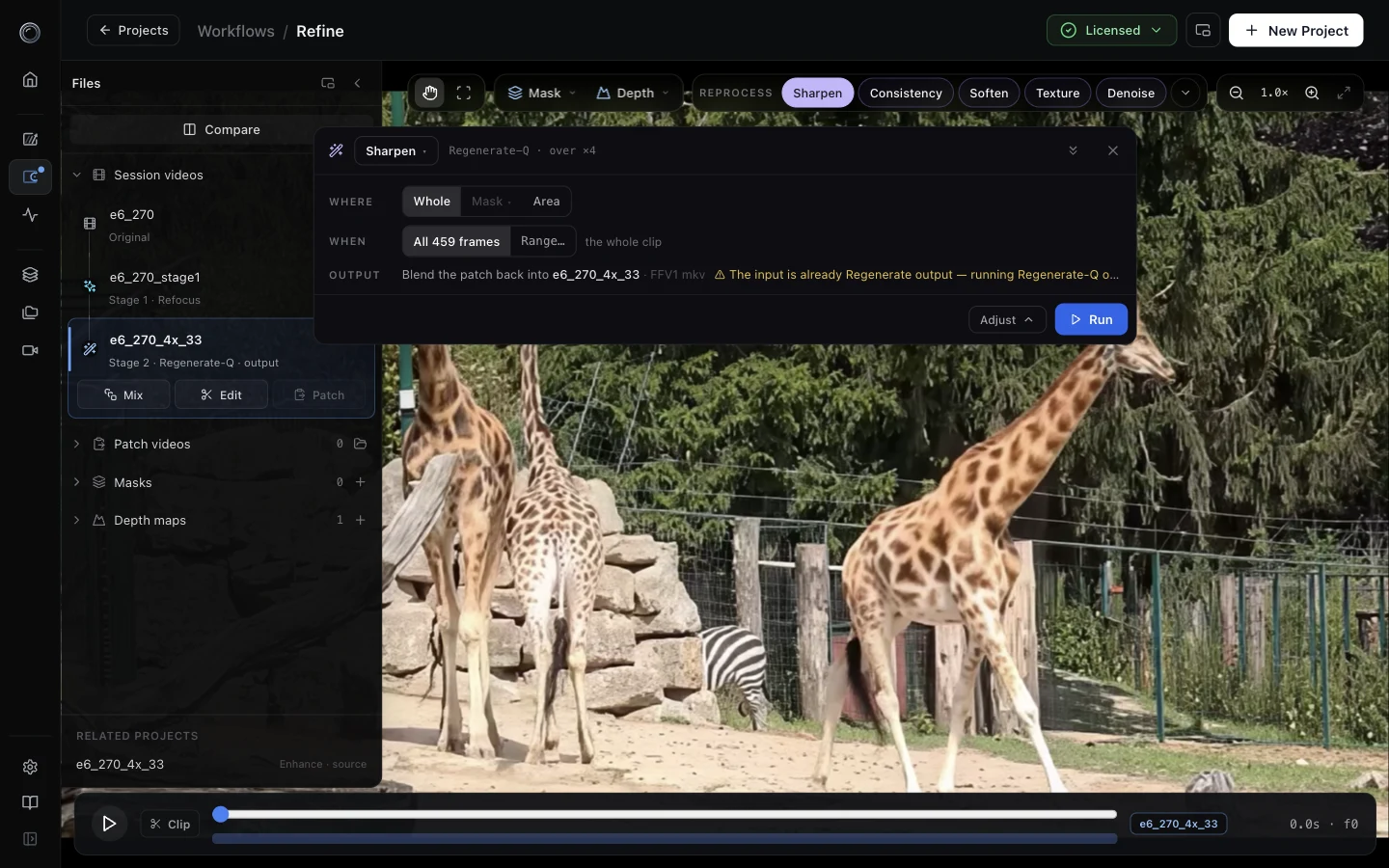
Chips can be pinned, reordered, edited, and deleted, and any pipeline you build in the full editor can be saved as a chip of your own.
The Reprocess dock
The modal is gone. Reprocess is now a dock at the bottom of the workspace, and the video stays live while it is open. The dock reads left to right the way the engine runs: Source (which video, whole frame or mask or area, fixed or following the object, which frames, with a live thumbnail), the pipeline as plain knobs (consistency, detail and texture, denoise, diffusion canvas) that map onto the stages underneath, and the run itself, which mirrors the exact job chain the engine will execute. Warnings come with one-click fixes, and the Run button stays disabled until the plan is valid.
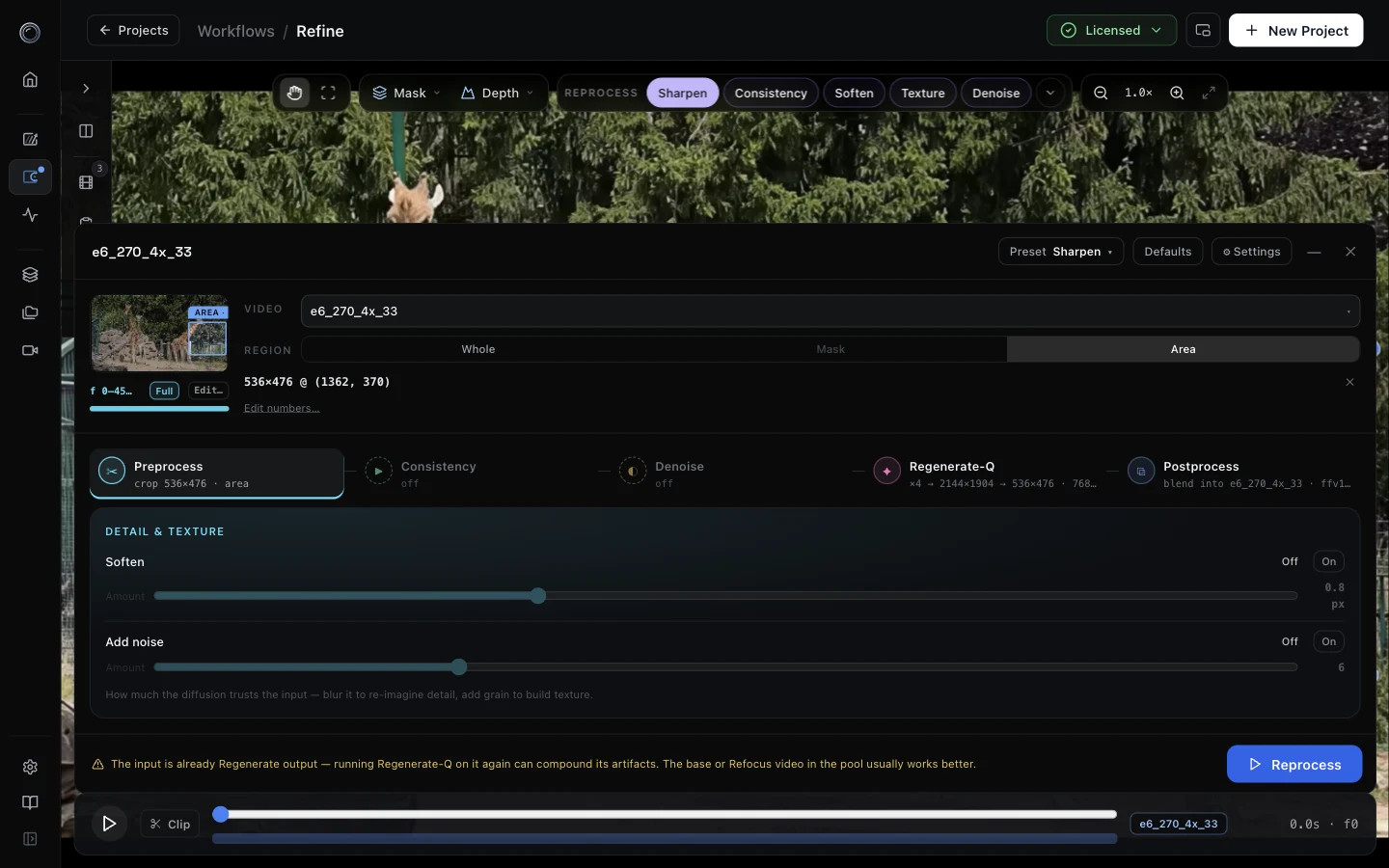
The full pipeline editor behind the dock lets you drag stages to reorder them, stack Refocus and Regenerate-Q, add soften and noise prefilters, choose the scaling mode, and save the result as a preset.
Selection and clip range
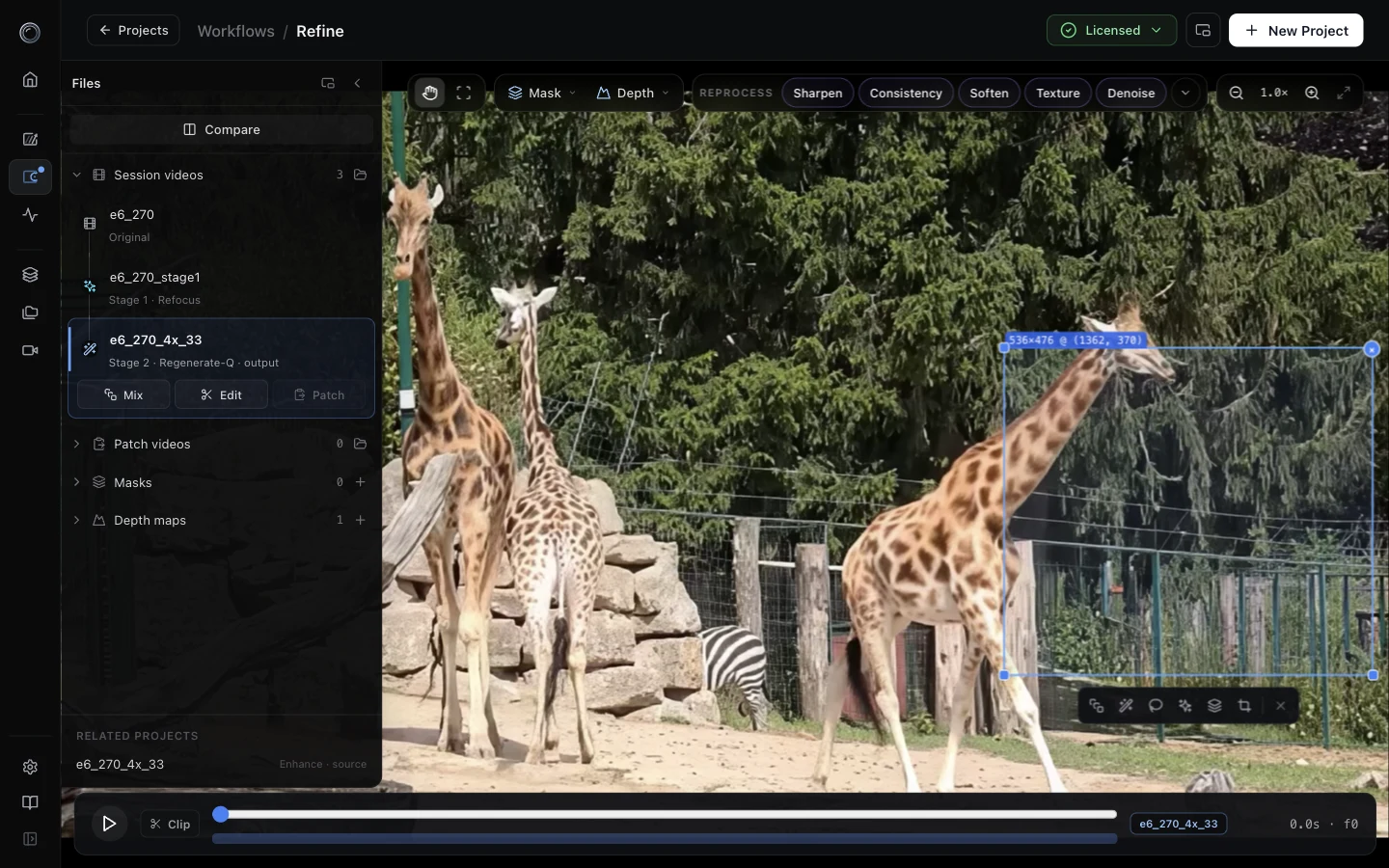
Draw a box on the video and a chip bar appears under it: Mix, Reprocess, Segment, Detect, Save as mask, Crop. Selection is now spatial and temporal at once: the box is the where, and the new Clip toggle in the transport is the when, with draggable in and out markers. The old A and B slots are gone. There is one working video, and Compare defaults to the original against the newest output.
Masks
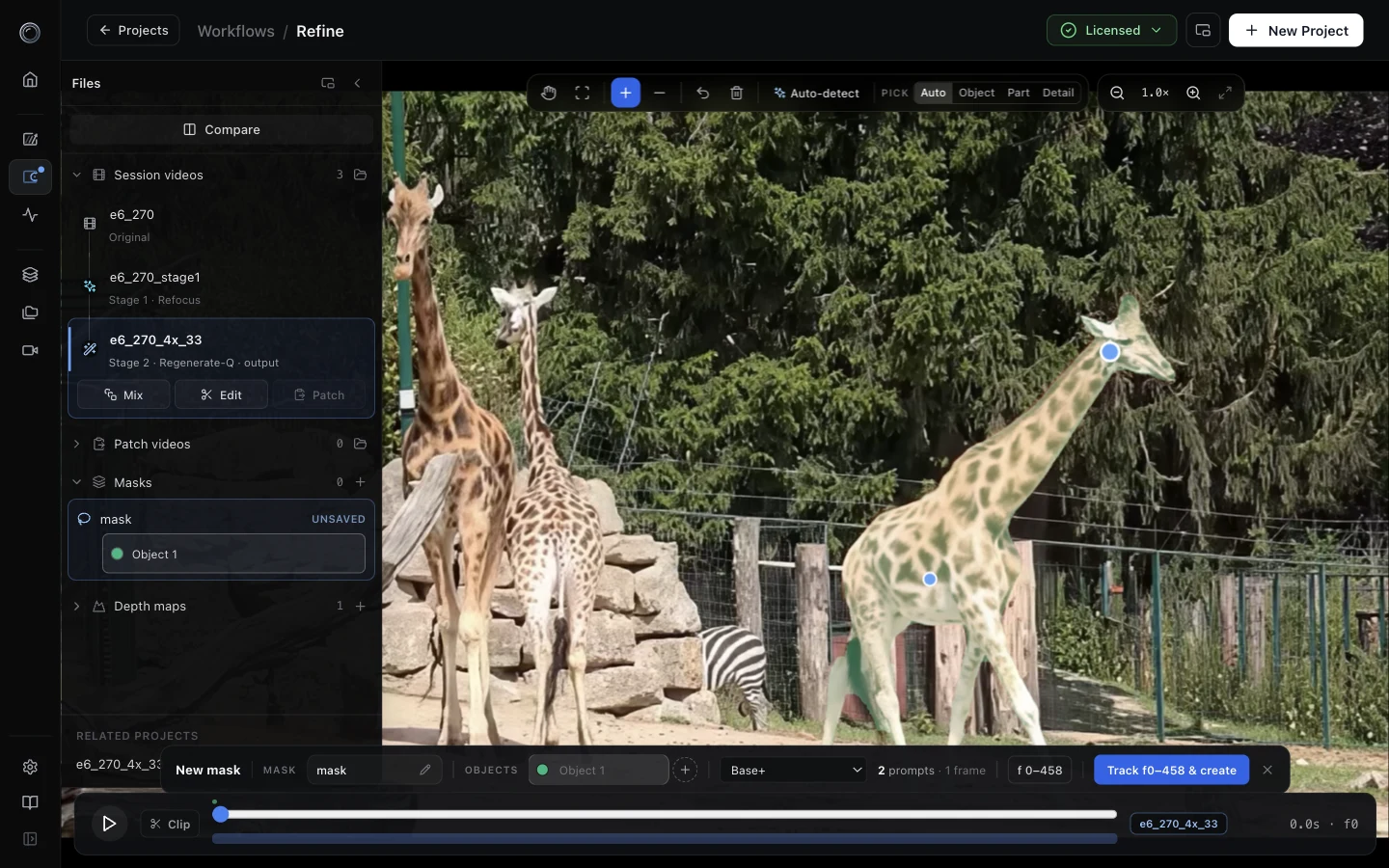
Prompting lives in the pointer pill: include, exclude, undo, clear, auto-detect, and a pick control that decides whether a click selects a whole object, a part, or a fine detail. A bar over the transport owns the rest: name the mask, track it across a frame range, save. If a frame is wrong later, add points there and re-track, and the saved mask updates in place. Auto-detect can be limited to a drawn box. Masks can also be made from depth.
Files panel and naming
The media pool is now Files. Session videos are drawn as a lineage tree, so you can see which stage produced which output. Patches, masks and depth maps have their own collapsible sections with counts and import buttons. The panel collapses to an icon rail, pops out and floats, and folds itself away while the dock is open. A back chip in the title bar returns you to Projects or Videos without ending the session.
Everything can be renamed in place: videos, patches, masks and their objects, depth maps, and the project itself. Renaming moves the file and its sidecars together, so renamed artifacts still open next time.
Artifacts now land in one folder per video, <name>_refine/, with masks, depth, patches, versions and work inside, instead of scattered sibling folders. Blends produce <name>_v2, _v3 and so on. The old _fix naming is gone, and files from earlier versions are still found and still editable.
Patches
Every Reprocess run produces a patch video, written FFV1 lossless by default so it round-trips without generation loss. Blend it back into the working video, or keep it and blend later. Patches carry their placement, mask gating and object tracking with them, so a re-blend in a later session keeps the motion instead of degrading to a rectangular paste. Trim and crop exports from the Edit tool are first-class patches too.
Depth maps
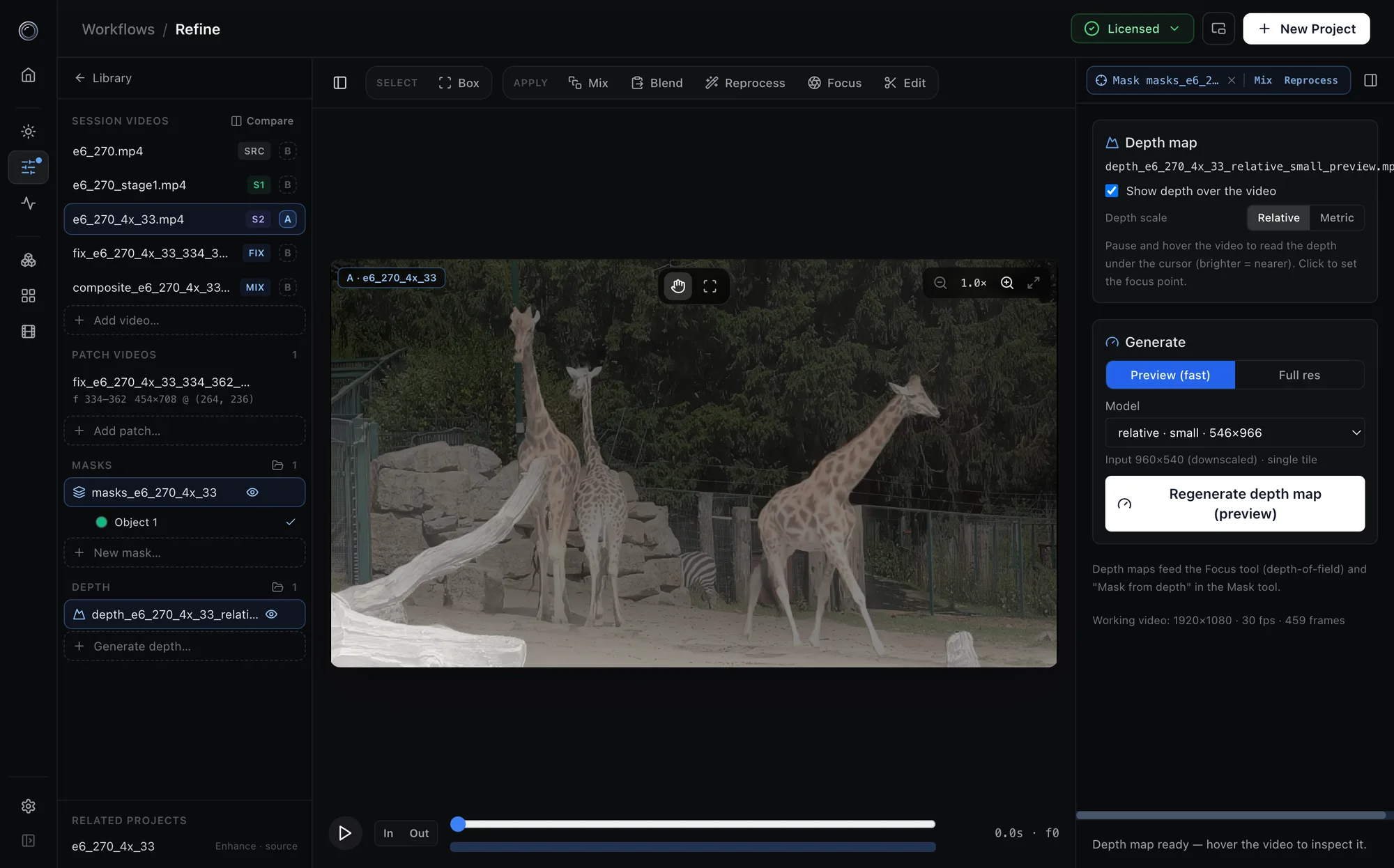
The Depth tool now leads with a picture: choose relative or metric, then small, base or large, each labelled with what it costs on this machine (ready, needs a build, or a download size). If nothing is built, one button downloads the weights, builds a model shaped to this video, and generates. A run can be scoped to a mask, a drawn box, or a frame range.
Under the hood, relative depth now runs as a single pass instead of tiles. Tiled relative depth had no way to align the scale of one tile with the next, which produced the broad ramps and inverted regions some of you reported. The single pass removes them, uses about a third of the memory during assembly, and the display range is anchored to the 1st and 99th percentiles so one stray far pixel no longer flattens the whole map to grey. Depth engines can also be built at any even tile size now, not just multiples of 14, so an engine can match your footage exactly.
Compare
A version that starts later parks on its first frame and says "starts at 0:12" until the shared clock reaches it, then holds its last frame after it ends. Two clips of different lengths line up on one timeline.
Simpler setup
First launch asks one thing: press Activate. It opens refocused.ai, creates a software key for your account, and you paste it back. It works the same for a free trial and for a purchased license.
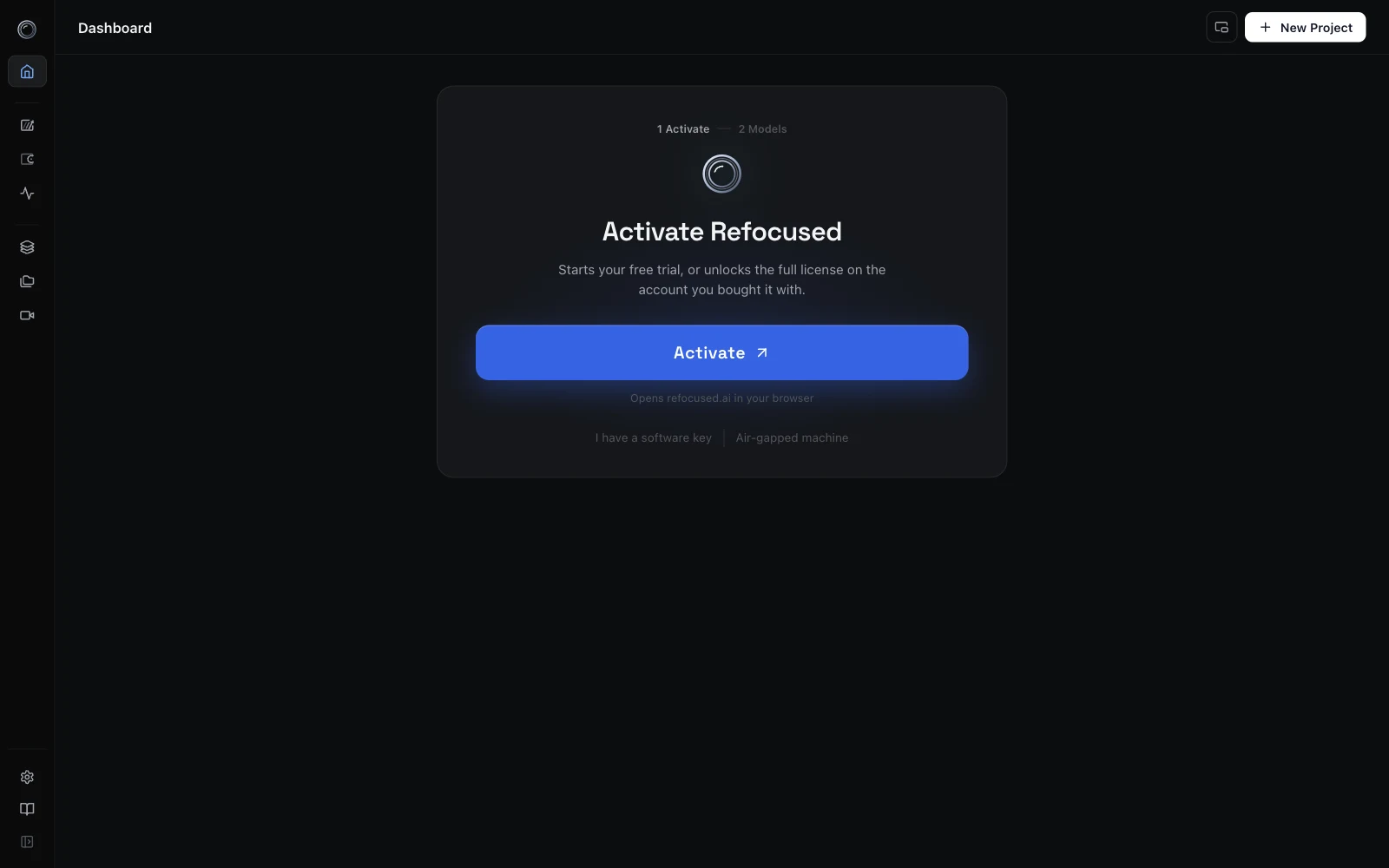
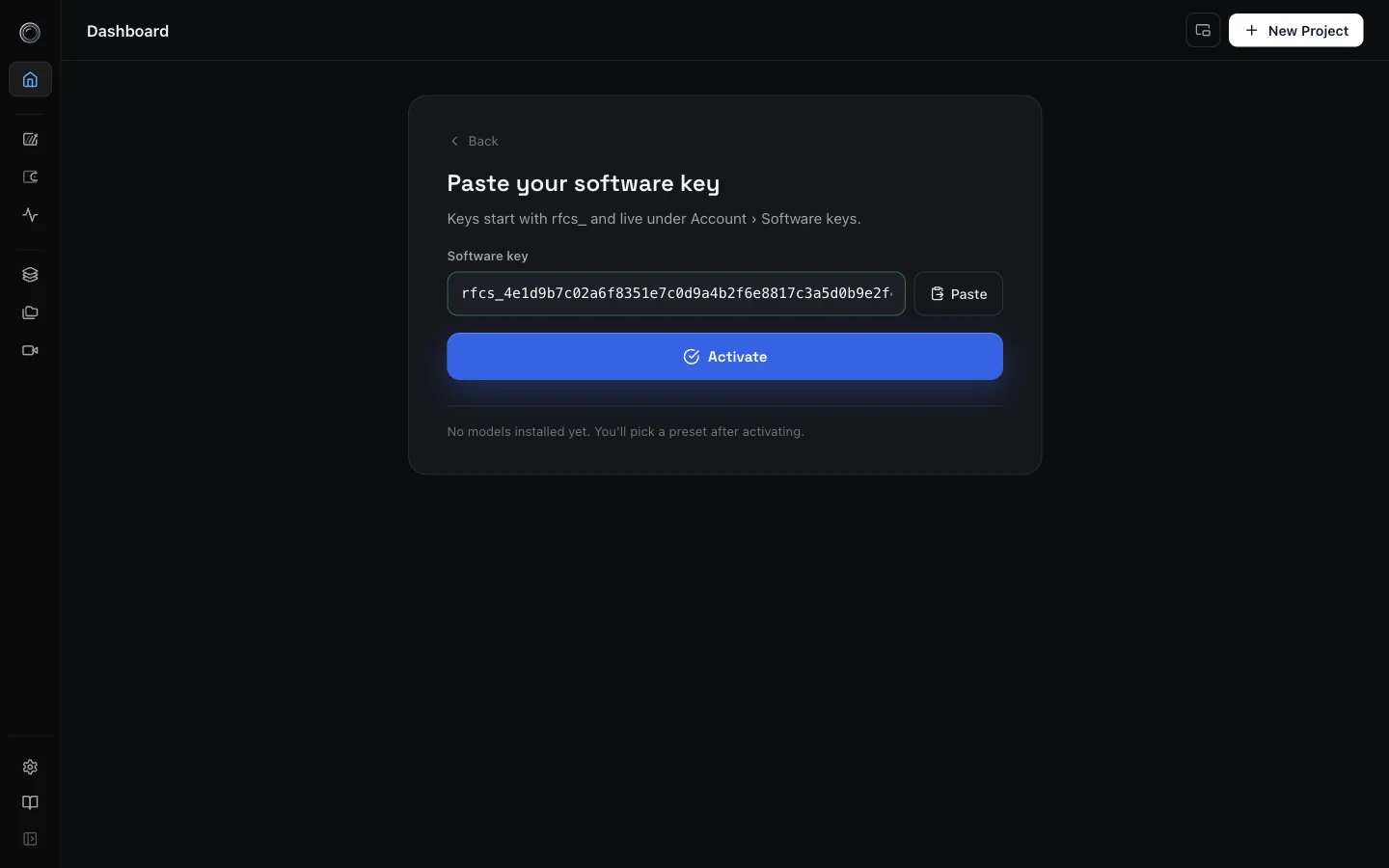
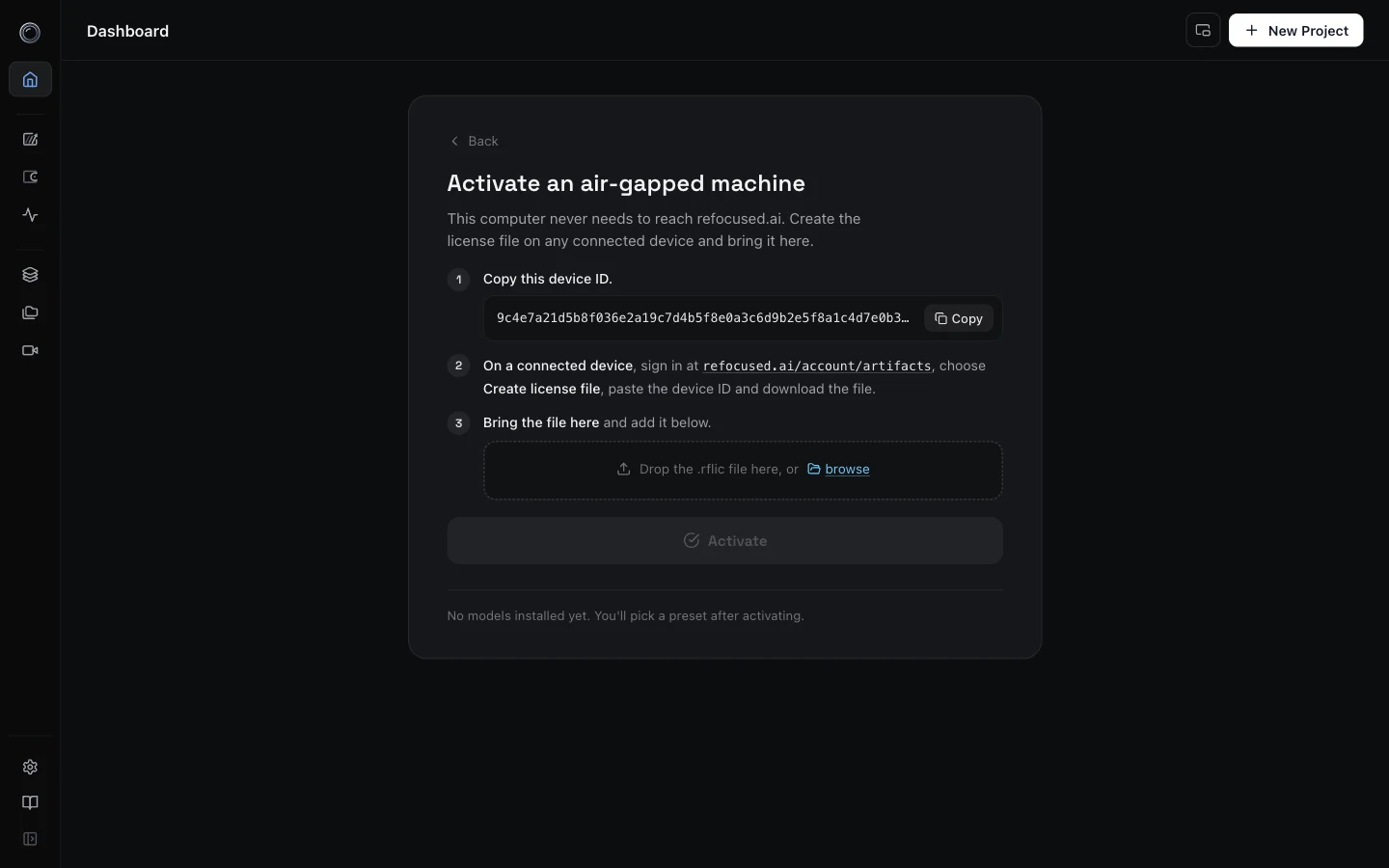
Two quiet links cover the other cases. I have a software key goes straight to a paste screen. Air-gapped machine walks through the offline path: copy the device ID, create the license file on any connected device, bring the .rflic file over and drop it in.
Model presets now follow the workflows: All, Enhance, Enhance without Diffusion, and Refine. Each builds exactly one engine per model family behind a single progress bar, and the Regenerate-Q tile is picked from your hardware. The Essentials installers for macOS and Windows now include the Refine defaults too: denoise, segmentation, and metric and relative depth. If you installed with Essentials there is no model step at all. On Linux, and on any install without Essentials, the presets build the same engines from the downloaded weights.
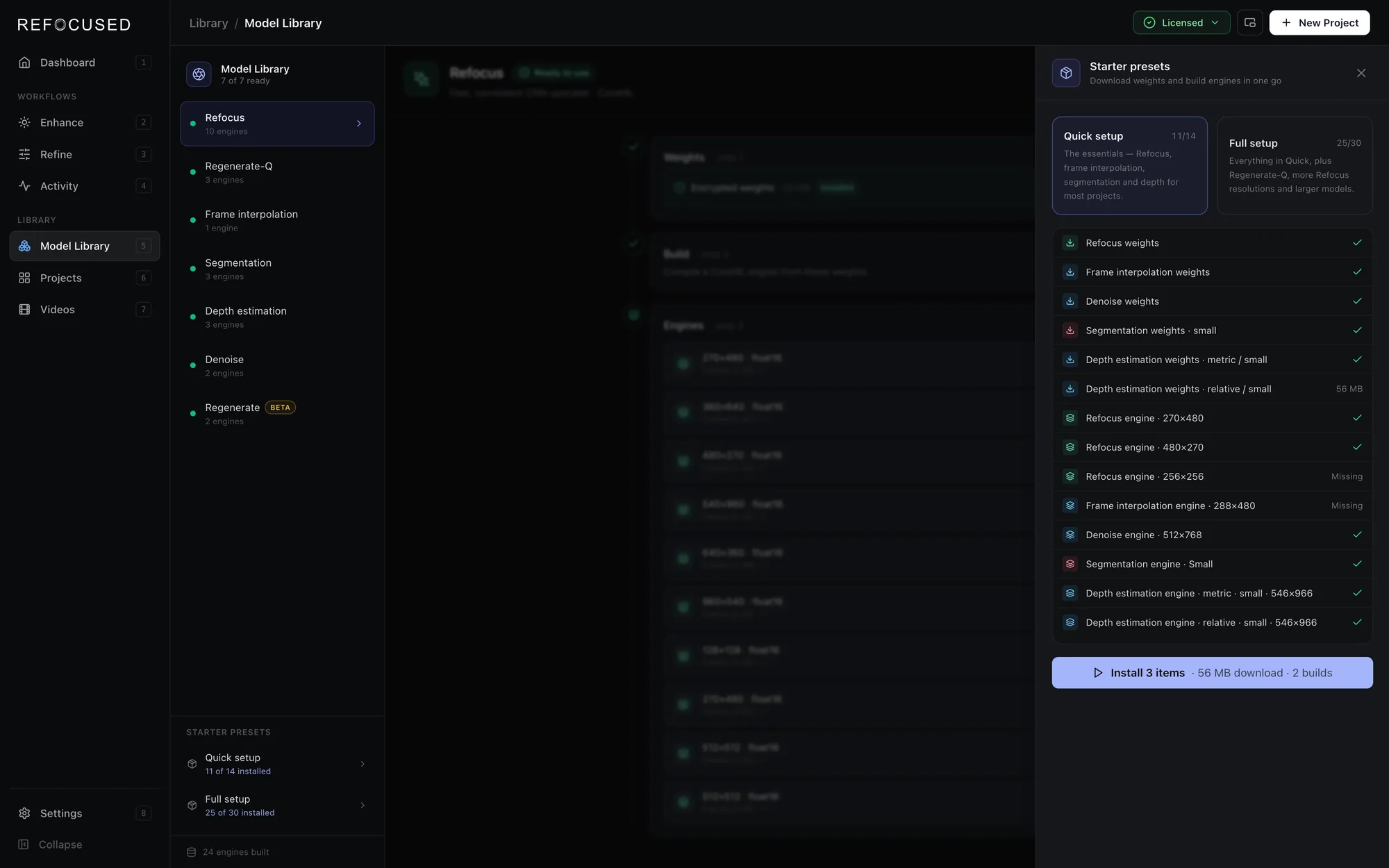
The Model Library is grouped by workflow, Enhance and Refine, and the dashboard shows two readiness meters so you can see at a glance which workflow is ready. A new Performance section in the guide explains building engines shaped for your footage on Apple Silicon, and building native TensorRT engines for your exact NVIDIA GPU, which run faster than the portable prebuilt ones.
Engine error reporting
Until now, several kinds of failure were silent. An engine crash while idle produced nothing. A job the engine lost track of was assumed to have completed. A failed first stage left the project "processing" forever. All of that is fixed.
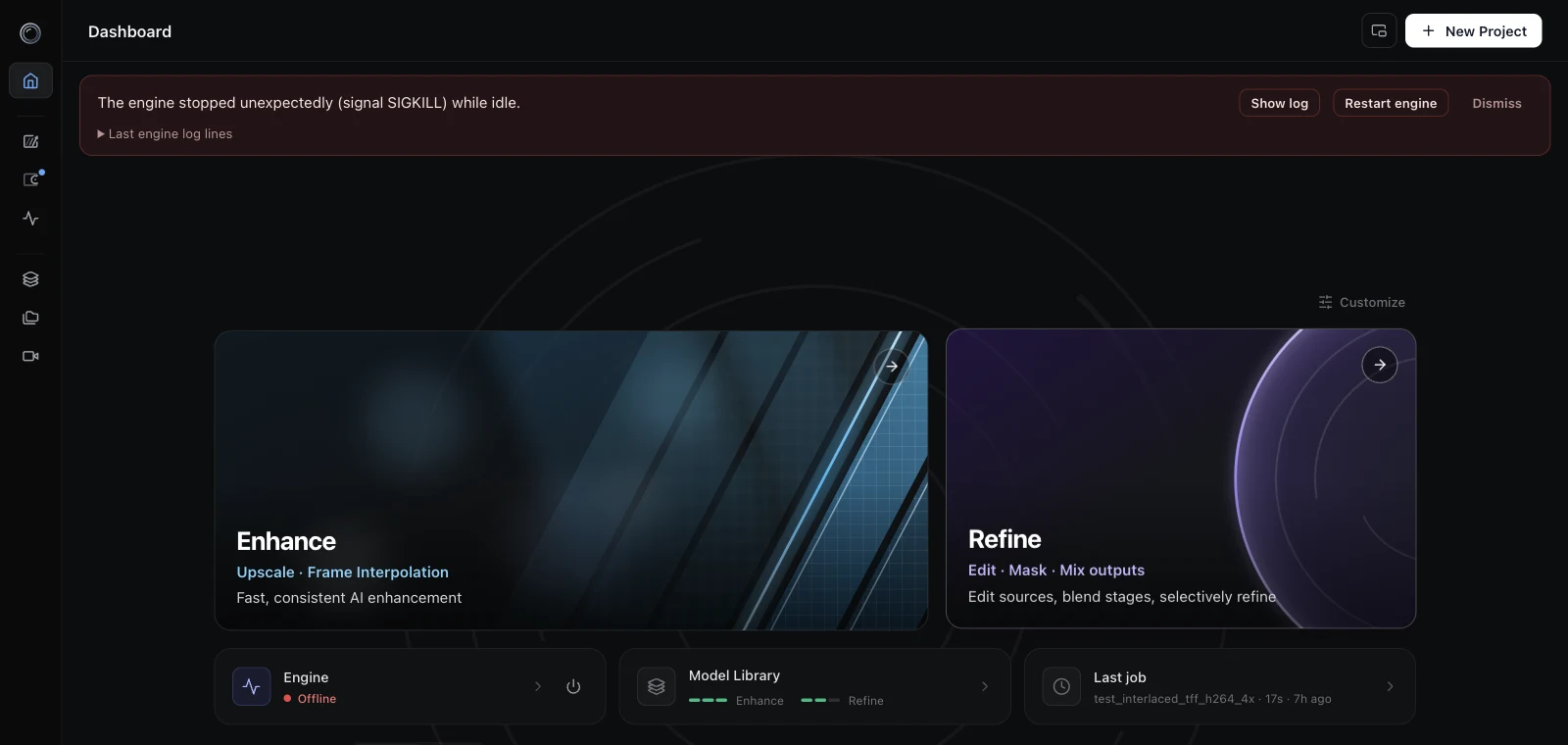
- Engine crashes are reported. If the engine stops unexpectedly, a banner tells you what happened, with the last log lines, a Show log button, and a Restart engine button. It survives window reloads until you dismiss it.
- Failed jobs are listed. Jobs that fail now appear in the pipeline card with the engine's own error message. A job the engine has lost track of is marked failed, and a failed intermediate stage fails the whole project.
- Stalled jobs are flagged. A job whose progress has not moved for five minutes shows a "Stalled?" chip with the time since the last update, and cancel stays available. The threshold is fifteen minutes while a job is still at 0%, because model loading can legitimately take that long.
- Worker exceptions no longer take down the engine. An error inside any pipeline thread used to terminate the whole engine process. It now fails that job with a reason and leaves the engine running.
- A wedged engine no longer freezes the app. Monitoring requests time out and are treated as a disconnect instead of leaving the app on its last good snapshot.
Enhance improvements
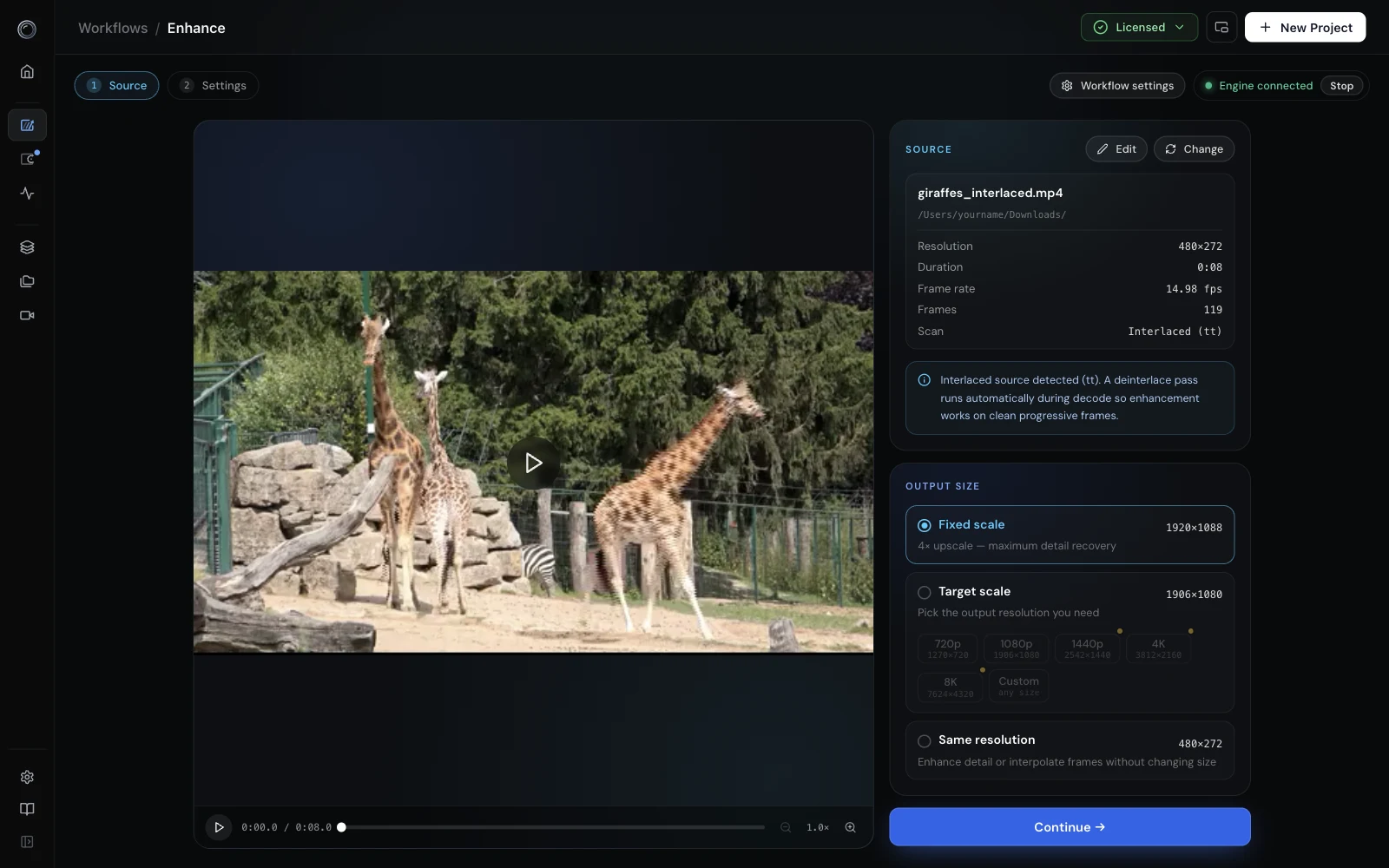
- Interlaced sources are detected and deinterlaced. The Source step reports the field order, and a deinterlace pass runs automatically during decode so every model works on clean progressive frames. Sources whose interlacing is flagged per frame rather than per stream, such as FFV1 and raw video, are probed too. The
deinterlaceflag is also available to command-line jobs. - Chapters run in the background. A chapters run now survives leaving the Enhance page and even restarting the app, and re-attaches when you come back. Previously each chapter left its own set of per-chapter intermediate files; those pieces are now stitched into one continuous file per stage alongside the final output, so Refine can re-blend from any stage.
- Anamorphic MKV output. DVD-style sources with a non-square pixel aspect keep their aspect flag in MKV outputs.
- More encoder fallbacks on Windows. Media Foundation HEVC and H.264 encoders join the ladder, and HEVC falls across to H.264 when no HEVC encoder exists.
Bug fixes
Engine
- Output sizes that are not a multiple of 8, such as 1620x1080, failed to encode on Windows and Linux builds that fall back to the software HEVC encoder. The encoder now pads internally and writes the true size to the file.
- A transient NVENC failure during a driver reset used to disable that encoder for the rest of the session. Probes are no longer cached on failure.
- License-rejected jobs sat queued forever and looked like a hang. They now fail with a reason.
- Job completion was reported as completed even after a cancel or an error. The engine now reports the real outcome.
- A rejected job submission was still recorded in history and the library as if it had queued.
- Anamorphic sources played horizontally stretched from MKV outputs, surfaced by the FFV1 encoder added in 1.0.5.
- Interlaced FFV1 and raw video sources were never detected as interlaced.
- Depth builds rejected tile sizes that were not multiples of 14.
- Tiled relative depth produced ramps, inverted regions and a flattened display range.
- Depth assembly used three times the memory it needed.
Refine
- Seeks could snap to the nearest keyframe, up to a full GOP off on long-GOP outputs, which drove the compare and blend overlays out of sync. Seeks are now frame-accurate.
- A video layer mounted mid-timeline sat on frame 0 or on black until you scrubbed. Loads of large or pro-codec files that took more than a few seconds fell back to a decoder that shows black. Released players were parked as "cached" but never reused, so after a few swaps new mounts showed black for pro codecs. All three black-screen causes are fixed.
- Paused scrubbing looked frozen and the mix layers compared different frames.
- Follow-object blends pasted every frame one window ahead, leaving a ghost of the object wherever the window jumped.
- Re-blending a patch in a later session lost its mask gating and tracking and degraded to a solid rectangle.
- Reprocess blended back onto the last pipeline stage instead of the working video when the working video was a trailing denoise or interpolation output.
- Depth maps did not persist with the session and re-runs overwrote the previous map.
- A typed patch name was lost when a decimate or downscale pass ran after the engine.
- Mask tool: entering Mask with a depth map active hijacked the Objects tab, selecting a mask left stale tints, the last object could not be removed, and switching working video silently discarded a live mask session. Switching now asks first.
- Compare in fullscreen pushed the transport off-screen.
- Zoom now runs from 0.2x to 8x with the mouse wheel or a trackpad pinch, with drag-to-pan at any zoom, in Refine, Compare, the Enhance source player, and the library player.
App
- Windows: a saved ffmpeg path from a per-user install broke a later per-machine install. Bundled paths are no longer persisted, and stale paths are dropped on startup.
- A missing ffprobe or segmentation binary crashed the app with a modal error instead of a normal message.
- The interlaced notice pushed the source cards around; it is now a hover badge.
- Depth and reprocess failure messages in Refine read the wrong field and showed nothing.
What's next
- AMD support. Bringing the engine to AMD GPUs on Windows and Linux is the next platform target.
- A deinterlacing model. 1.0.6 deinterlaces with a conventional filter during decode. A learned deinterlacing model is next, for footage where the filter leaves combing or softness behind.
- Projects and Videos, reworked. The Projects and Videos sections predate chapters, patches, versions and depth maps. They will be rebuilt around the same lineage view Refine now uses, so the history of a video is visible from the library rather than only inside a session.
We are also continuing work on the API key flow for command-line users and on depth-guided refinement.
To update, download the latest build from the install page, or use the in-app updater in Settings.